Process Lasso
Real-Time CPU Optimization and Automation

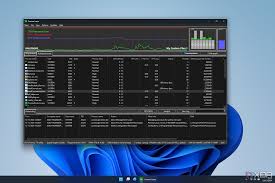
Process Lasso: The Ultimate Windows Performance Optimization Tool
Process Lasso stands as one of the most powerful system optimization utilities available for Windows users. Developed by Bitsum Technologies, this intelligent process management software transforms how your computer handles resource allocation, ensuring smooth performance even during demanding tasks. Whether you’re experiencing system slowdowns, application freezes, or inconsistent performance, Process Lasso provides automated solutions that work silently in the background.
What Makes Process Lasso Different?
Unlike the built-in Windows Task Manager, Process Lasso employs advanced algorithms to prevent system responsiveness issues before they occur. The software monitors all running processes in real-time and makes intelligent adjustments to CPU priorities, core assignments, and power settings without requiring manual intervention.
At the heart of Process Lasso lies ProBalance, a revolutionary technology that detects when processes are consuming excessive CPU resources and temporarily adjusts their priorities. This prevents any single application from monopolizing your system and causing the dreaded “system freeze” that plagues many Windows users during intensive operations.
Core Capabilities That Transform Performance
ProBalance Algorithm: This proprietary technology continuously monitors CPU usage patterns and dynamically adjusts process priorities when it detects resource hogging. The result is maintained system responsiveness even when running CPU-intensive applications like video rendering, compilation tasks, or multiple demanding programs simultaneously.
Intelligent CPU Affinity Management: Process Lasso can automatically assign specific processes to designated CPU cores, optimizing workload distribution across your processor. This is particularly beneficial for systems with multi-core processors, ensuring efficient utilization of all available computing resources.
Dynamic Power Plan Switching: The software automatically switches between power plans based on system activity. When demanding applications launch, Process Lasso can activate high-performance mode, then revert to balanced or power-saving modes during idle periods, optimizing both performance and energy efficiency.
Gaming Mode Activation: Gamers benefit from a dedicated mode that temporarily suspends non-essential background processes, freeing up system resources for maximum gaming performance. This feature ensures smoother frame rates and reduced input lag during gameplay.
Comprehensive System Monitoring: Real-time graphs display CPU usage, memory consumption, and disk I/O activity, providing complete visibility into system performance. These monitoring capabilities help identify bottlenecks and understand which applications impact system resources most significantly.
Customizable Process Rules: Users can create persistent rules for specific applications, defining custom priority levels, CPU affinity settings, and power plan preferences. Once configured, these rules automatically apply whenever the target application launches.
Global User Interface: Process Lasso supports multiple languages including English, German, Spanish, French, Russian, Chinese, and Japanese, making it accessible to users worldwide.
Complete Windows Integration: Full compatibility spans from Windows 7 through the latest Windows 11, supporting both 32-bit and 64-bit architectures across all modern hardware configurations.
Latest Enhancements and Updates
Recent versions of Process Lasso have introduced significant improvements that enhance both functionality and user experience. The software now includes optimized support for Windows 11’s updated scheduling architecture and newer processor generations including Intel’s 12th-gen hybrid architectures and AMD’s Ryzen 7000 series.
The ProBalance algorithm has been refined to better handle modern multi-threaded applications, recognizing legitimate high-CPU usage versus resource-hogging behavior. Memory efficiency improvements have reduced the software’s own footprint, ensuring Process Lasso optimizes your system without consuming excessive resources itself.
A modern dark mode interface option provides comfortable viewing during extended use, while expanded automation capabilities allow power users to create sophisticated rules and scripts for advanced optimization scenarios.
Ideal Users and Applications
Gaming Enthusiasts: Eliminate stuttering, reduce frame time variance, and maintain consistent performance during intense gaming sessions. Process Lasso ensures background updates and system tasks don’t interrupt your gameplay.
Content Creators and Streamers: Keep streaming software like OBS Studio, communication platforms like Discord, and creative applications running smoothly simultaneously. Process Lasso prevents any single application from causing system-wide slowdowns during live broadcasts or recording sessions.
Software Development Teams: Accelerate build times, speed up compilation processes, and maintain responsiveness during resource-intensive development tasks. Process Lasso ensures your IDE remains responsive even during large-scale compilations.
Professional Workstations: Prevent system hangs during 3D rendering, video encoding, data analysis, or running virtual machines. Process Lasso keeps your workstation responsive regardless of workload intensity.
Everyday Computing: Extend the useful life of older hardware by optimizing resource allocation intelligently. Process Lasso helps aging computers maintain acceptable performance levels without expensive hardware upgrades.
Getting Started with Process Lasso
Beginning your optimization journey is straightforward. Download Process Lasso from the official Bitsum website and install it using the recommended default settings. The software includes both free and professional versions, with the free edition providing substantial functionality for most users.
Configure Process Lasso to launch automatically at system startup, ensuring continuous optimization from the moment you boot your computer. The system tray icon provides quick access to settings and real-time statistics, while the main interface offers detailed control over all features.
For basic use, simply let Process Lasso run with default settings—ProBalance and other automatic features work effectively without configuration. Advanced users can explore custom rules, creating specific configurations for individual applications based on unique requirements.
Technical Requirements
Process Lasso operates on minimal system resources, requiring only a processor running at 1 GHz or faster, at least 1 GB of RAM (though 2 GB or more is recommended), and approximately 50 MB of available storage space. The software requires administrative privileges during installation but can run with standard user permissions afterward.
Compatible with Windows 7, 8, 8.1, 10, and 11 in both 32-bit and 64-bit editions, Process Lasso works seamlessly across virtually all modern Windows configurations, from budget laptops to high-end gaming rigs and professional workstations.
Conclusion
Process Lasso represents an essential tool for anyone seeking to maximize Windows performance and maintain system responsiveness under all conditions. Its intelligent automation, proven ProBalance technology, and comprehensive feature set make it invaluable for users ranging from casual home users to professional power users. By preventing resource contention and optimizing system behavior automatically, Process Lasso delivers measurable improvements in everyday computing experience.