From the brand


Why Choose AIRHUG?
AIRHUG believes true communication freedom means seeing and hearing clearly.
We focus on HD cameras and professional microphones for smooth, synchronized experiences. No complicated setup, just plug and play.
We create “unrestricted” spaces where your expression comes first.
Trusted by teams and creators worldwide. When the tech works, you just be you.
Top Recommended
Speakerphone & USB Microphone
AIRHUG Webcam
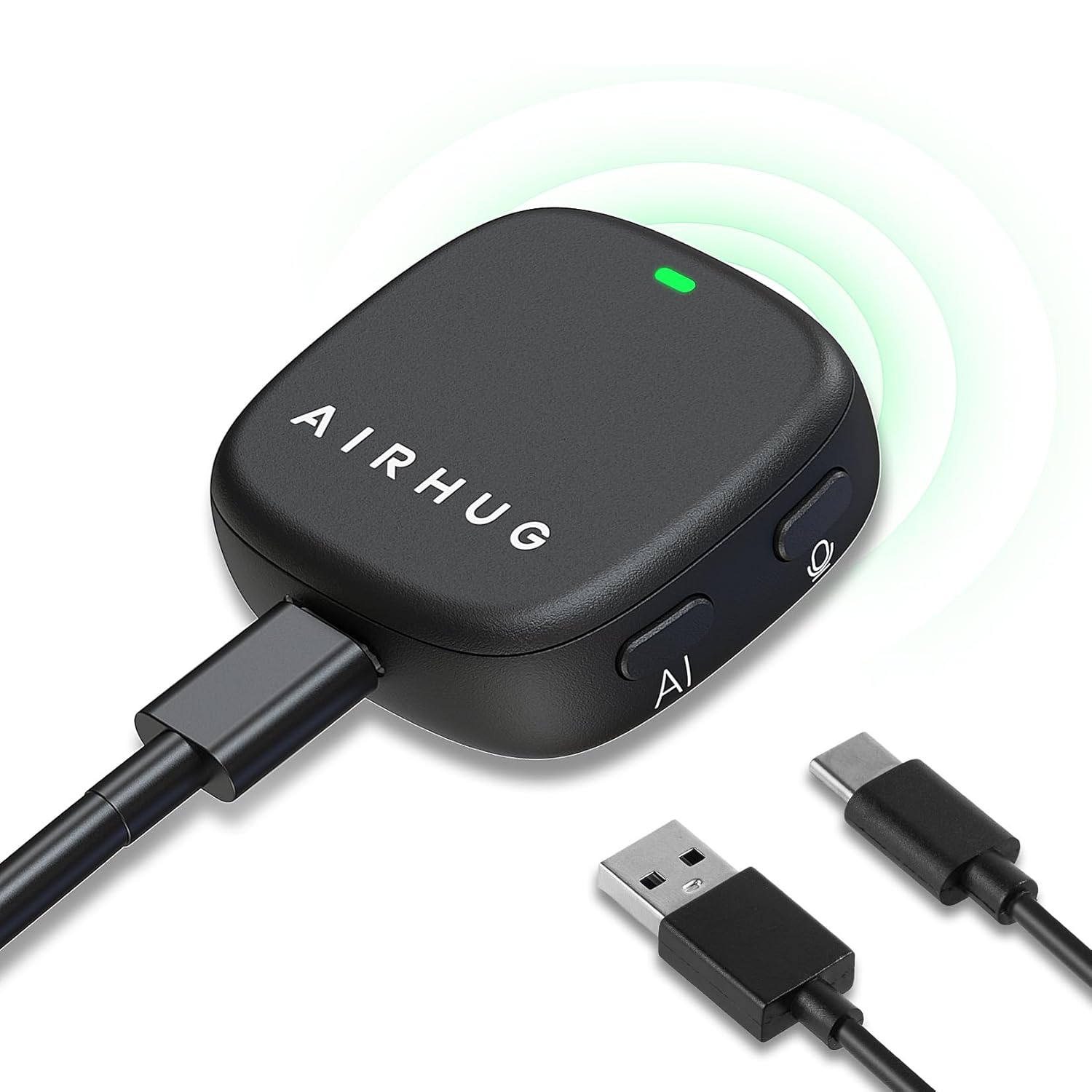
Smart Magnetic Design – This computer microphone offers 3 placement options: lay flat, clip to clothing, or attach to metal surfaces. Includes a 2m cable and 3 reusable nano adhesive dots for flexible setup in any scenario
360° Omnidirectional Pickup – With high sensitivity 360° voice pickup and a 6 ft (2 m) range, this desktop microphone ensures everyone is heard clearly. Great for gaming, streaming, video conferences, and online classes
Mute Button & LED Indicator – Instantly mute/unmute with one press, ensuring your privacy during meetings. The three color LED clearly shows mic status (Blue: AI Noise Reduction; Green: Original Mode; Red: Muted)
AI Noise Reduction vs Original Mode – Switch between two powerful modes. Use AI Mode (Blue Light) to filter out background noises like fans or keyboard clicks. For a natural, realistic sound that captures your true voice with high fidelity, we recommend switching to Original Mode (Green Light). Pro Tip: If you experience transcription issues, toggling between these two modes can help optimize performance based on your specific setup
Plug & Play, Wide Compatibility – No drivers needed. This computer microphone for desktop works instantly with Windows 7/8/10/11 and Mac OS. Supports major platforms (Zoom, Teams, Skype) and recording apps. Quick Tip: If your device is not detected, please check your computer’s privacy settings to allow microphone access for the app you’re using
What’s Included – USB Conference Mic Kit contains: 1 microphone, 1 USB-C to USB-A cable(2m), 3 washable & reusable nano adhesive dots , and 1 user guide
Continue Reading