In today’s tech-driven world, gadgets have become an essential part of everyday life.
Each new launch pushes the boundaries of performance, design, and smart features.
From smartphones to wearables, innovation is making life simpler and more exciting.
Users now look for speed, durability, and seamless connectivity above all else.
Overall, modern gadgets prove that technology is evolving not just to impress—but to genuinely improve how we live and work.
The Ultimate Samsung Galaxy S24 Tips and Tricks You Need to Know
If you’ve just picked up the new Samsung Galaxy S24, you’re in for a treat. Samsung packed this phone with so many new features—especially its Galaxy AI tools—that it can be easy to miss a few hidden gems.
After spending some serious time exploring, I’ve rounded up the coolest Galaxy S24 tips and tricks to help you unlock the phone’s full potential.
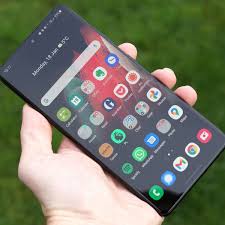
1. AI Summarizer in Samsung Internet
There’s a brand-new feature hidden inside the Samsung Internet app that’ll save you tons of time when reading long articles.
While browsing a webpage, you’ll see a small AI icon in the corner. Tap it, and the browser automatically scans the page and generates a quick summary of the content.
So instead of scrolling through an endless article, you get all the key points in seconds. It’s perfect for quick research or catching up on news.
2. Drag to Share — A Smarter Way to Send Photos
One of the neatest little tricks on the S24 is Drag to Share.
Here’s how it works:
-
Open your Gallery and select a few photos.
-
Long-press on them, and they’ll stack together.
-
Without letting go, open an app like WhatsApp, and just drop them in.
No need to go through your file picker or attachments menu. Even better? This works directly from the Samsung Internet app, so you can drag and drop images or GIFs from the web straight into a chat.
3. Galaxy AI Keyboard — Rewrite and Translate Instantly
The new Galaxy AI keyboard is ridiculously smart.
When typing a message, tap the Galaxy AI icon to open “Writing Styles.” It can reword your text in several tones—professional, casual, social media, polite, or even emojify it.
It doesn’t stop there. Right above that, you’ll find Chat Translation, which translates conversations in real time. If a friend messages you in German or Spanish, you’ll see it in English—and when you reply, your message automatically translates back to their language. It’s like having a built-in interpreter in your pocket.
4. Hidden Camera Tricks You’ll Actually Use
Dual Recording Mode
Inside the Camera app, tap More → Dual Record.
This lets you record using two lenses at once—for instance, the main wide lens and the zoom lens. You can even choose to save both clips separately, which is perfect for social media edits.
Audio Monitoring
Download Camera Assistant from the Galaxy Store.
Once installed, enable Audio Monitoring in its settings, then connect your Bluetooth earbuds.
Now, when you record a video, you’ll hear what your phone hears directly through your earbuds. It’s great for vlogging, interviews, or even capturing distant sounds more clearly.
Camera Widget
Add the new Camera Widget to your home screen.
You can assign it a specific shooting mode—say, Portrait or Night mode—so tapping it instantly opens the camera ready for that shot.
5. Customize Your Alarm with Video Backgrounds
Head into the Clock app, select an alarm, and scroll down.
You’ll find a new Alarm Background feature that lets you choose a photo or video as your alarm backdrop.
Imagine waking up to your favorite travel clip or a motivational video instead of the standard background—it adds a fun personal touch.
6. Dynamic Weather Wallpapers
In Wallpaper and Style → Change Wallpaper, you’ll find a new Photo Ambient Wallpaper option.
Choose any image from your gallery, and the phone will automatically add real-time weather effects—like rain, snow, or sunlight—based on the actual weather outside.
It even interacts with objects in the photo, like raindrops bouncing off people or animals. It’s subtle but beautiful.
7. Custom Lock Screen Clock Fonts
You can now personalize your lock screen clock font.
Go to the Lock Screen editor, tap your clock, scroll to the far right, and tap the three dots. From there, choose any font from the Samsung Store to match your wallpaper or aesthetic.
8. Circle to Search with Google
Here’s one of the most practical AI tools: Circle to Search.
Just press and hold the Home button, and when the overlay appears, circle anything on your screen—a shoe, a product, a celebrity—and Google instantly searches it.
You’ll get results without switching apps. It’s perfect for when you’re scrolling through social media and spot something interesting.
9. Smart Notes and Voice Notes
The Samsung Notes app now supports AI summarization.
You can open a PDF or long note, tap the AI icon, and instantly get a summary of that page.
Even better, voice notes can be transcribed and summarized automatically, making it easy to capture meetings or lectures without sifting through hours of recordings.
10. Always-On Display, Upgraded
Under Settings → Lock Screen → Always On Display, turn on “Show Lock Screen Wallpaper.”
Now your always-on display will show your wallpaper instead of a plain black screen.
You can even enable Erase Background, which fades out the backdrop and keeps your subject—like a person or pet—highlighted when the phone is locked. It looks clean and futuristic.
11. Hidden Gallery Tricks
-
Instant Slow-Mo: Play any video in your gallery, then tap and hold on the screen—it turns into slow motion instantly.
-
Portrait Re-Focus: Swipe up on any portrait photo to access the blur and focus controls. Tap anywhere on the image to refocus after the shot.
-
AI Photo Editing: Tap the Galaxy AI icon while editing to erase, move, or resize objects. Hit “Generate,” and AI fills in missing areas seamlessly.
12. Galaxy Enhance-X App
From the Galaxy Store, grab Galaxy Enhance-X.
It’s a hidden gem for photo and video editing. You can:
-
Convert any normal video into slow motion
-
Turn landscape photos into 24-hour time-lapse clips
-
Remove shadows, reflections, blur, or noise with one tap
It’s like having Photoshop-level tools built right into your phone.
13. Adaptive Features You Should Turn On
-
Adaptive Color Tone → Display settings → adjusts screen warmth automatically based on lighting.
-
Voice Focus → During calls, pull down quick settings → Mic Mode → Voice Focus (cuts out background noise).
-
Adaptive Battery Protection → Battery settings → protects long-term health by optimizing charging patterns.
14. Handy Little Settings You Might’ve Missed
-
Cursor Thickness: Under Accessibility → Vision Enhancements, you can adjust your typing cursor’s thickness for better visibility.
-
Hotspot One-Time Passwords: Generate a new password every time you toggle your hotspot for extra security.
-
On-Device AI Processing: Go to Advanced Features → Advanced Intelligence → toggle on “Process data only on device” to keep your AI activity private.
And if you want an extra layer of security, pairing the S24 with a VPN like Surfshark hides your browsing and location data while letting you access content from other countries.
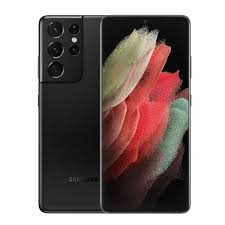
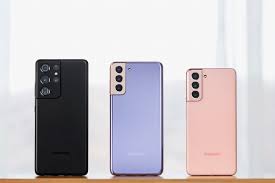
Samsung Galaxy S21 Ultra in 2025: Is It Still Worth It?
The Samsung Galaxy S21 Ultra was once the pinnacle of smartphone technology, but in 2025, does it still hold its ground?
Performance That Still Packs a Punch
Even years after its release, the S21 Ultra’s hardware impresses. The review highlights that multitasking, gaming, and everyday apps still run smoothly. While newer devices boast faster processors, the S21 Ultra remains reliable for most users, proving that Samsung’s engineering was ahead of its time.
Camera: Aging, but Still Competitive
The camera setup on the S21 Ultra is impressive, even by 2025 standards. The review points out that its telephoto and ultra-wide lenses still produce stunning images. However, compared to the latest smartphones with AI-enhanced photography and larger sensors, the S21 Ultra shows its age in certain lighting conditions.
Software Updates and Longevity
One concern with older phones is software support. The review notes that while the S21 Ultra continues to receive Android updates, it may not support all the latest features. For users who prioritize longevity and the newest software perks, this is a consideration.
Battery Life: Holding Steady
Battery endurance remains one of the strong points of the S21 Ultra. The review observes that even after years of usage, the battery can comfortably last a day with regular use. Of course, heavy gamers or power users might notice a dip compared to modern flagships with optimized energy efficiency.
Value in 2025
Ultimately, the review asks the key question: Is it still worth buying? If you can find a well-maintained unit at a discounted price, the S21 Ultra offers exceptional performance, display quality, and cameras for its age. However, for those chasing the latest features and cutting-edge tech, newer models may be more enticing.
Verdict
The Samsung Galaxy S21 Ultra was a flagship ahead of its time, and even in 2025, it has a lot to offer. While not the latest, it’s a solid choice for users who want premium performance without paying premium prices.
Galaxy S24 FE vs iPhone 16: Real-World Camera Comparison
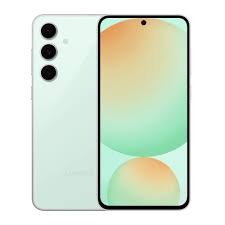
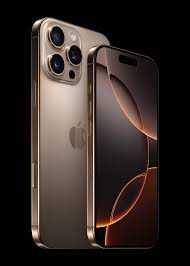
Smartphone cameras have come a long way. Today, the differences between flagship devices are subtle—mostly in how they handle colors, noise, and computational photography. After spending weeks using both the Samsung Galaxy S24 FE and iPhone 16, shooting hundreds of photos, it’s clear that each phone has its strengths. Surprisingly, the S24 FE holds its own and, in certain situations, even outperforms the iPhone 16.
Telephoto Lens: S24 FE Leads the Way
One of the biggest differences comes when using the telephoto lens. At 3x zoom, the S24 FE uses a dedicated telephoto lens, whereas the iPhone 16 relies on digital cropping. The result? The S24 FE delivers sharper images, more visible detail, less noise, and more accurate colors. Portrait photography benefits from this too. For shots of human subjects, like Daria’s face, the S24 FE produces clearer details and a more pleasing overall look.
While some may prefer the warmer tones of the iPhone 16, a closer inspection—like the corner of a hat in a photo—shows the Galaxy’s advantage in detail and noise control.
Macro and Ultrawide: iPhone Holds Some Advantages
The iPhone 16 has a Macro mode, which the S24 FE lacks. Its ultrawide lens allows closer shots of small subjects with impressive detail. Meanwhile, the S24 FE adds vibrancy and richer colors to main-lens shots, but the iPhone excels in greens and softer tones.
One downside for iPhone users: the reviewer noticed green ghost lights in certain indoor shots, likely due to the phone’s glass design—something the S24 FE avoids.
Zooming In: Architecture and Detail
For travel and architecture photography, the telephoto lens is essential. At 5x zoom, the S24 FE produces sharper, more detailed photos than the iPhone 16. Even at 10x zoom, the Galaxy maintains clarity, while the iPhone’s digital crop struggles slightly. Ultrawide shots remain comparable, though the Galaxy is more vibrant and the iPhone slightly warmer.
Main Lens and Video Performance
Both phones have similar megapixel counts, and main-lens photos are comparable. The iPhone often has better white balance, while the S24 FE boosts dynamic range. Stabilization for walking shots is effective on both devices, though color tones differ: the Galaxy is vibrant, and the iPhone leans toward darker, more contrasty images.
Videos, including portrait or cinematic mode, perform well on both phones. Night video shows minor differences, with iPhone videos darker and S24 FE capturing slightly better clarity, though both have limitations in low-light conditions.
Selfies: Similar, With Tone Differences
The iPhone 16 selfie camera is wider, making group shots easier, while the S24 FE has slightly noisier selfies. Color differences persist: the iPhone has a green tone, and the Galaxy shows magenta. Night selfies highlight the same trend, with the S24 FE slightly noisier but still usable.
Night Photography
Night photos reveal interesting contrasts. The S24 FE sometimes produces more noise but captures more highlights and dynamic range. The iPhone often creates darker skies but maintains cleaner shadows. Telephoto night shots at 10x zoom favor the S24 FE, showing better visibility of fine details.
Verdict: Different Strengths for Different Users
-
S24 FE: Strong telephoto lens, vibrant colors, better detail at zoom, slightly noisier in low light.
-
iPhone 16: Superior Macro mode, warmer tones, more consistent white balance, occasional green ghost lights.
Ultimately, the choice depends on your photography priorities. If you value telephoto detail, zoomed architecture shots, and vibrant colors, the Galaxy S24 FE is the better pick. If Macro shots, warm tones, and white balance consistency are more important, the iPhone 16 excels.
Both phones are capable tools, and this comparison highlights how subtle differences can affect real-world photography outcomes.
Google Pixel 9 Review in 2025: A Flagship That Still Holds Up
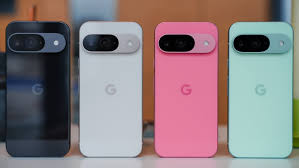
Almost a year has passed since the Google Pixel 9 launched, and in 2025, it’s still a compelling option—especially when compared to the Pixel 9 Pro and Pro XL. With nearly all the flagship features of its pricier siblings, the Pixel 9 proves that you don’t always need to spend top dollar for a premium experience.
Design and Build Quality
The Pixel 9 continues Google’s trend of sleek, boxy designs, reminiscent of the Pixel 8 but refined. Its glossy back can attract fingerprints, unlike the matte finish on the Pro models, but most users rely on a case anyway. The flat design ensures stability on a surface with no wobble, and the overall feel is premium—IP68 water and dust resistance, Gorilla Glass Victus 2, excellent speakers, and haptics all contribute to a top-tier experience.
Display
The 6.3-inch display offers vibrant colors, smooth 120 Hz refresh rate, and uniform bezels. While it’s only Full HD rather than 2K or 4K, the pixel density is sufficient for crisp visuals. Peak brightness reaches around 1,800 nits, with boosts even higher, ensuring excellent outdoor visibility. Google has managed to maintain a bright, high-quality panel without inflating costs.
Performance
Powered by Google’s Tensor G4 chip, the Pixel 9 focuses on AI and software efficiency rather than raw processing power. While it may lag behind the latest Snapdragon 8 Elite in benchmark tests, real-world performance is smooth and responsive. Even with moderate gaming and daily multitasking, the phone rarely stutters.
Battery Life and Charging
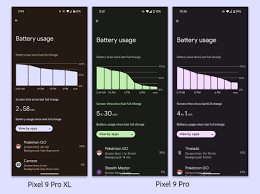
Battery life is solid, comfortably lasting a full day for most users, with about six hours of screen-on time in typical use. Charging isn’t the fastest at 27W, and wireless charging operates at lower speeds, but the phone’s longevity makes up for it. Most days, users end with 30–40% battery remaining.
Software and AI Features
Running Android 16 Beta, the Pixel 9 offers a clean and refined experience. Google continues to shine with AI-powered features like:
-
Object removal from photos
-
Live transcription
-
System-wide AI integration (Gemini)
-
Video portrait blur mode
The changes from Android 15 are subtle but improve usability, notifications, and lock screen customization. Google’s software ecosystem, coupled with seven years of guaranteed updates, remains a standout feature.
Cameras
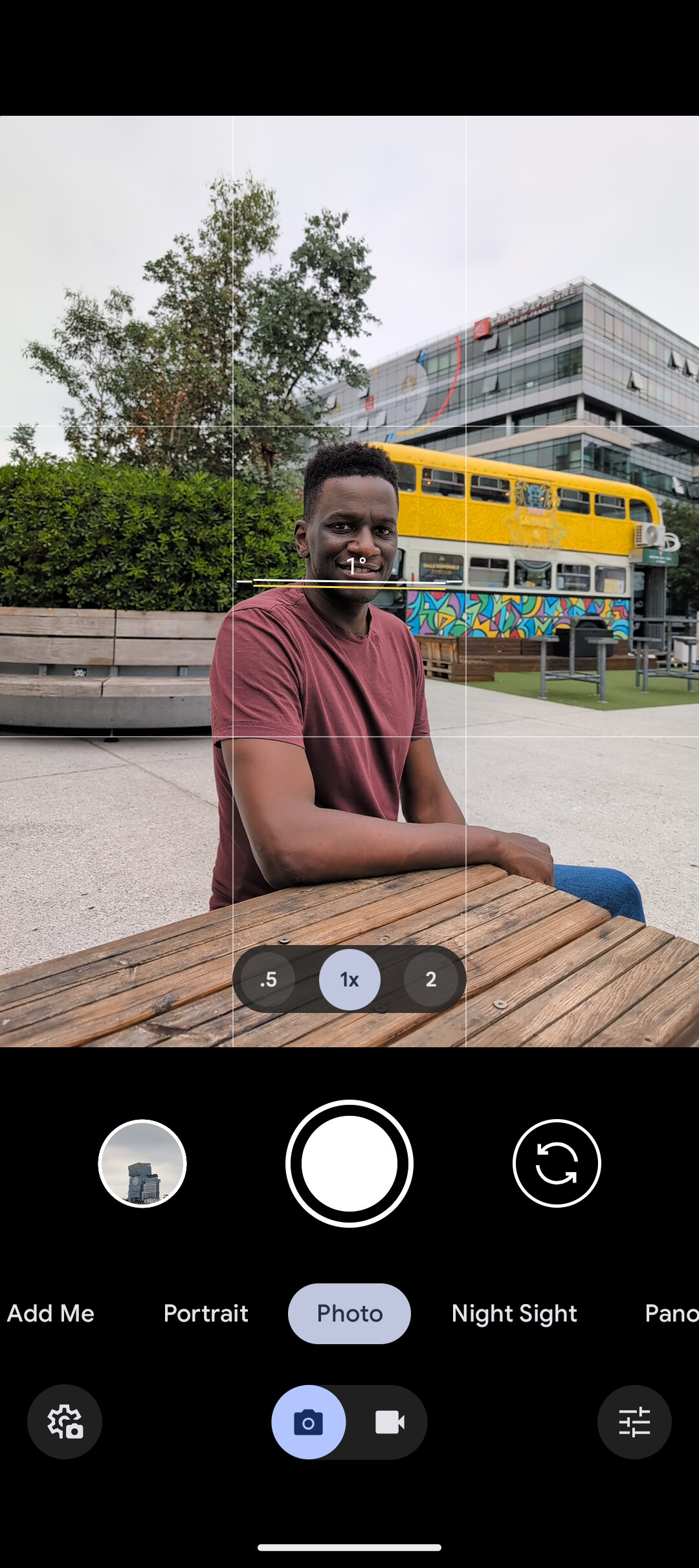
Photography is where the Pixel 9 really excels. While it lacks a third telephoto lens like the Pro models, its main wide and ultra-wide cameras (around 48–50 MP) produce stunning images:
-
Exceptional detail and dynamic range
-
Great low-light performance
-
Software-driven enhancements like HDR+ Max
Video capabilities are solid, supporting 4K 60 fps, and while slightly behind the iPhone in cinematic video, it’s more than sufficient for everyday use. AI features in photography and video add convenience without being gimmicky.
The Google Pixel 9 is a standout device in 2025. Its combination of design, performance, software, AI features, and camera prowess makes it one of the best mid-range-to-flagship options available today. For users seeking a reliable, future-proof phone without breaking the bank, the Pixel 9 delivers a complete package.


